MVP Documentation · Kanzlei Klisch

Legal Intake AI — User Guide

→ Lawyer Portal

System Overview

Legal Intake AI is a multilingual AI-powered intake assistant for law firms. It guides prospective clients through a structured conversation, collects their case details, and routes them to the right lawyer — all in their own language, without any manual effort.

💬
Chat Widget

Embeddable Web Component for any law firm website. Guides clients through intake via natural conversation.

🏛️
Lawyer Portal

Password-protected dashboard for reviewing cases and taking accept / reject decisions.

📧
Automated Emails

Confirmation, callback, and rejection emails sent automatically in the client's language.
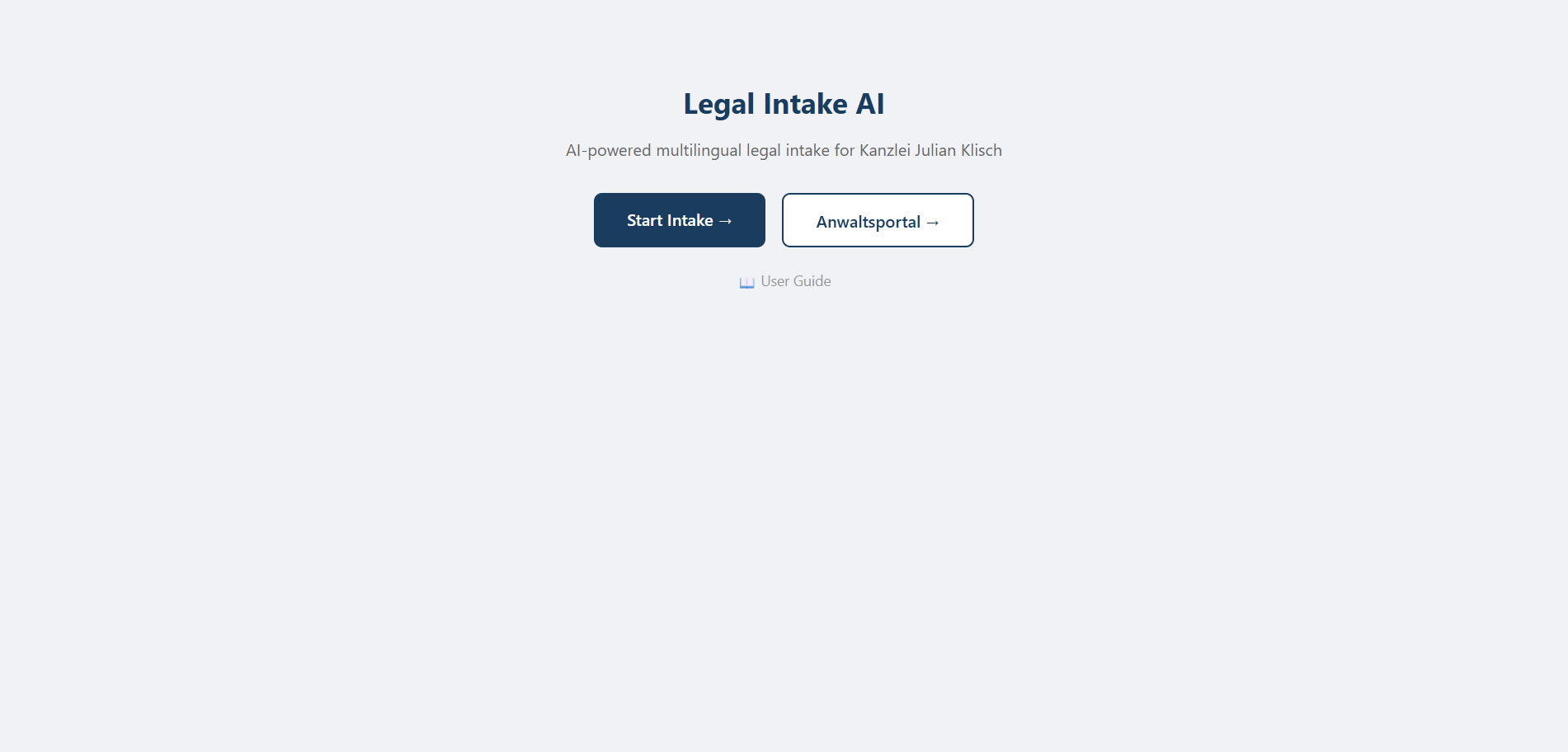
Home page

Home page

Lawyer Portal

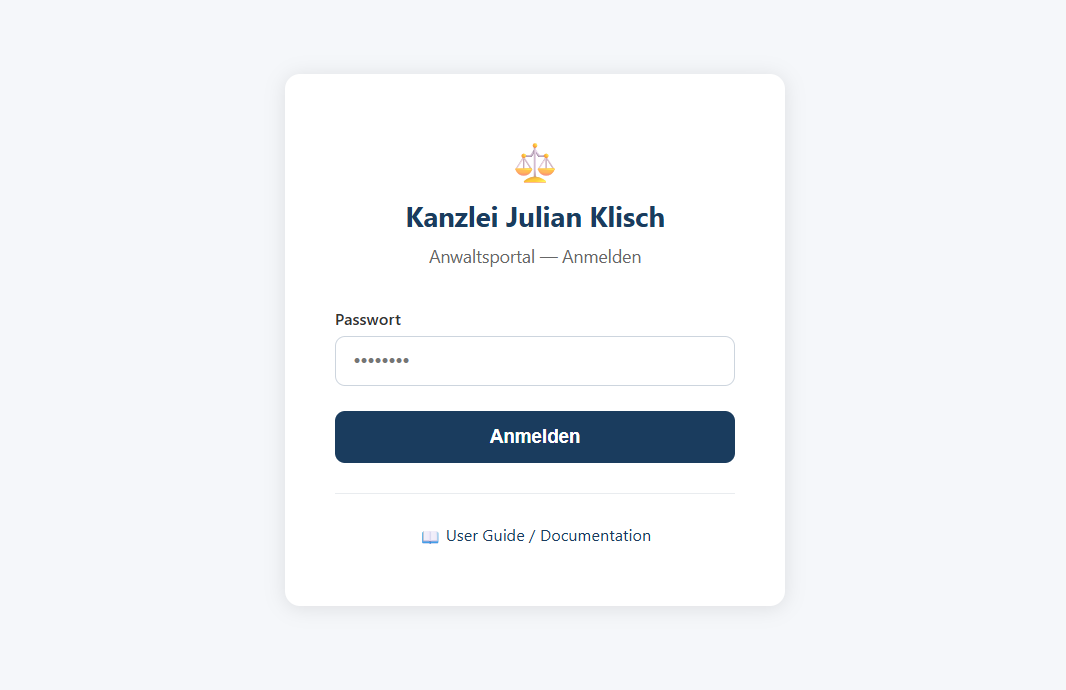
The portal is at /portal. Log in with the firm password set in the PORTAL_PASSWORD environment variable (current default: Klisch2024!).

Portal login page

Portal login page

📋
Case List

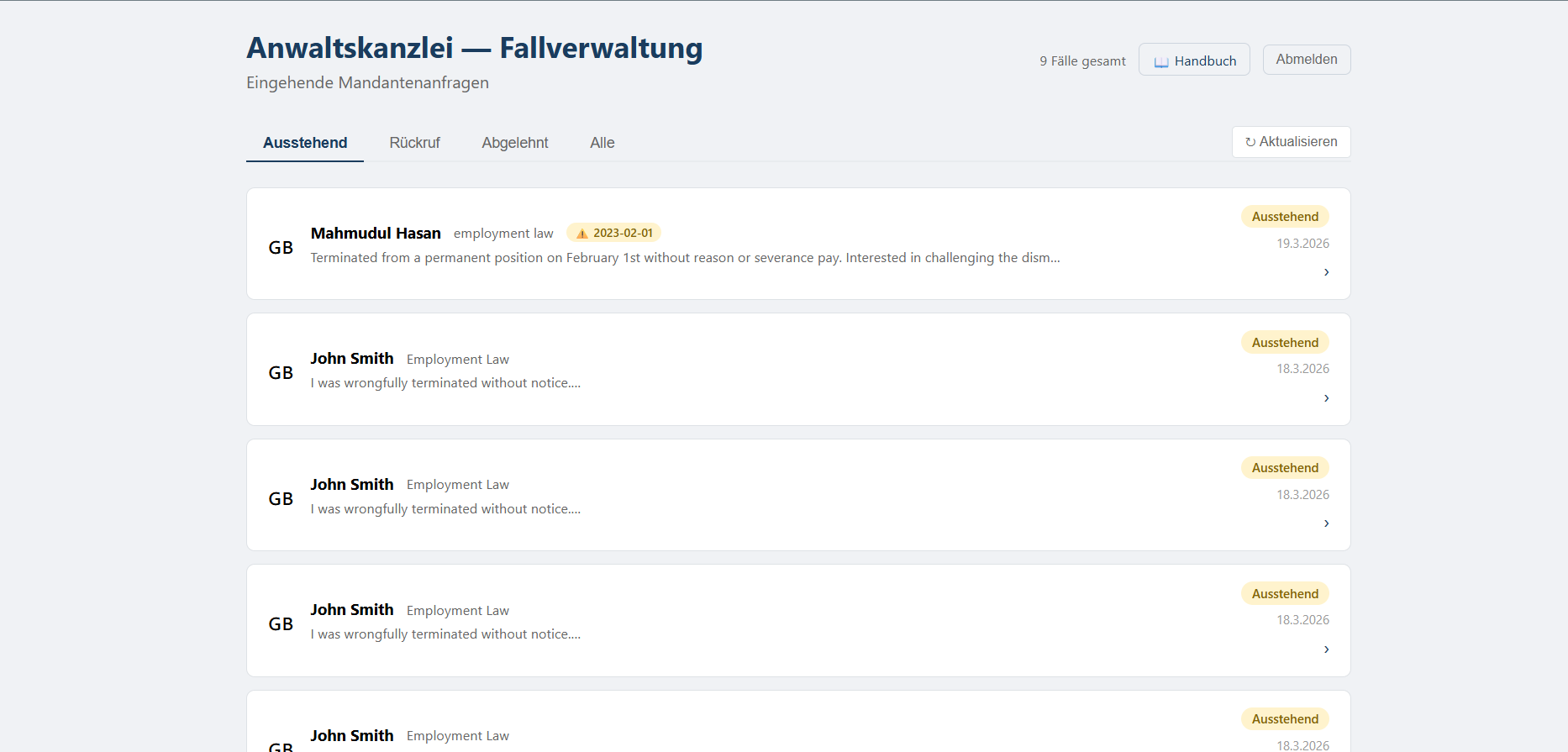
All submitted cases, filterable by Pending / Callback Scheduled / Rejected / All. Paginated at 20 per page.

🔍
Case Detail

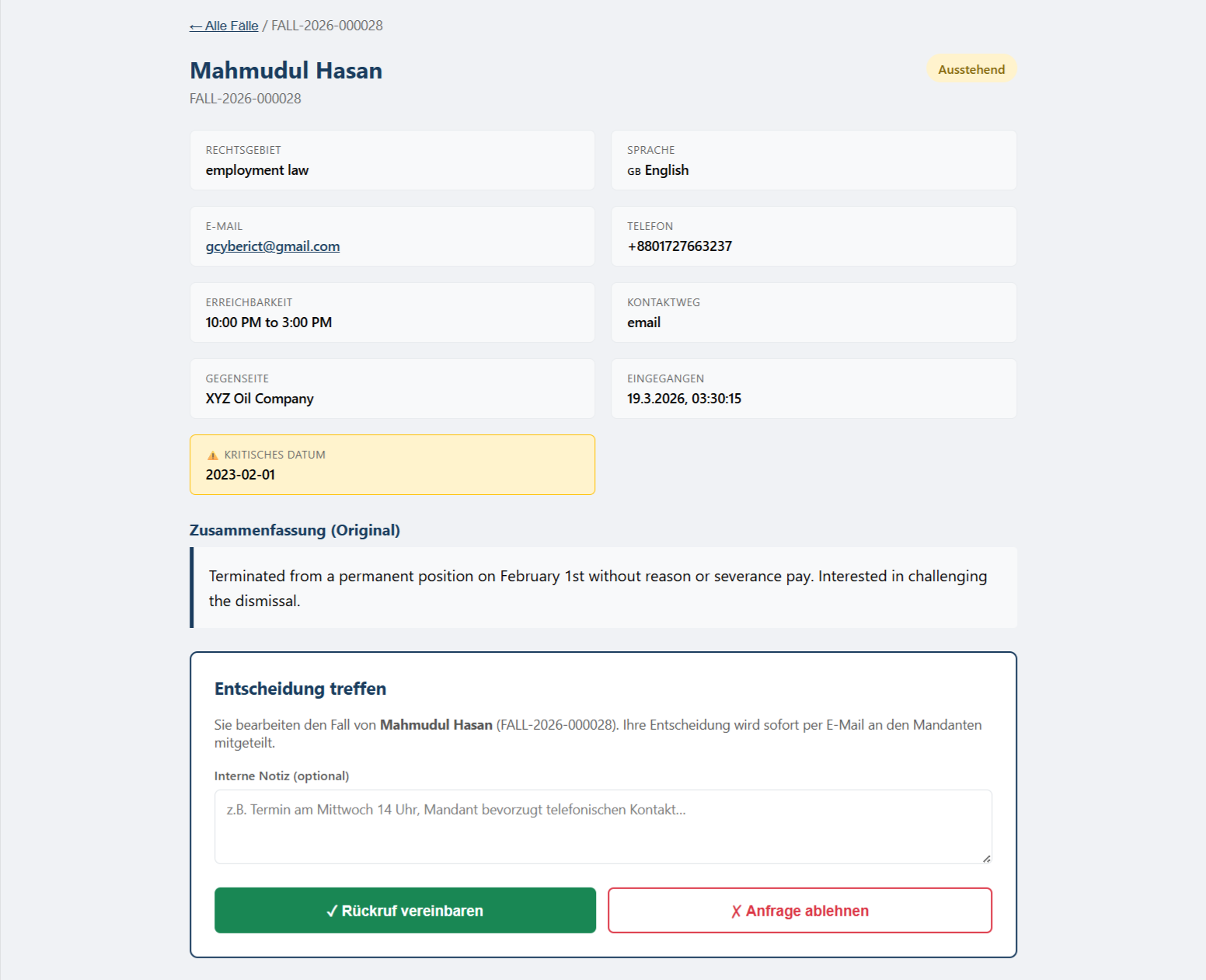
Full client info, practice area, case summary in original language and German translation, and attached files.

Accept — Schedule Callback

Changes status to "Callback Scheduled". Client receives a callback email automatically.

Reject

Changes status to "Rejected". Client receives a polite rejection email in their language.

🔒
Security: Protected by a server-side session cookie (legal-intake-session). After logout, browser back-navigation is blocked. Sessions expire after 8 hours.

Embedding the Widget

The widget is a standard Web Component. It works on any website — WordPress, Wix, plain HTML — with two lines of code:

<legal-intake-widget
  client-id="klisch"
  mode="popup"
  api-url="https://legal-intake-backend-hudjcwe0ethtdsf3.germanywestcentral-01.azurewebsites.net/api"
  style="--primary-color: #1a3c5e;"
></legal-intake-widget>

<script src="https://legalintakeaistorage.z1.web.core.windows.net/latest/widget.js"></script>
AttributeValuesDescription
client-idklischFirm identifier — controls branding, languages, and notification recipients
modepopup · inlinepopup: floating button · inline: embedded directly in the page
api-urlURLBackend URL — do not change unless using a custom deployment
languagesde,en,tr,ar,ru,fa,vi,zhOptional: restrict the available languages (default: all 8)
--primary-colorCSS colorHeader and button accent color (CSS custom property)
Session persistence: Conversation history is saved in sessionStorage and survives page reloads within the same browser tab. It is automatically cleared when the tab is closed — no persistent browser tracking.

End-to-End Workflow

Every case follows the same path — from the client's first message to the lawyer's decision and the client's final email.

1
Client opens the widget

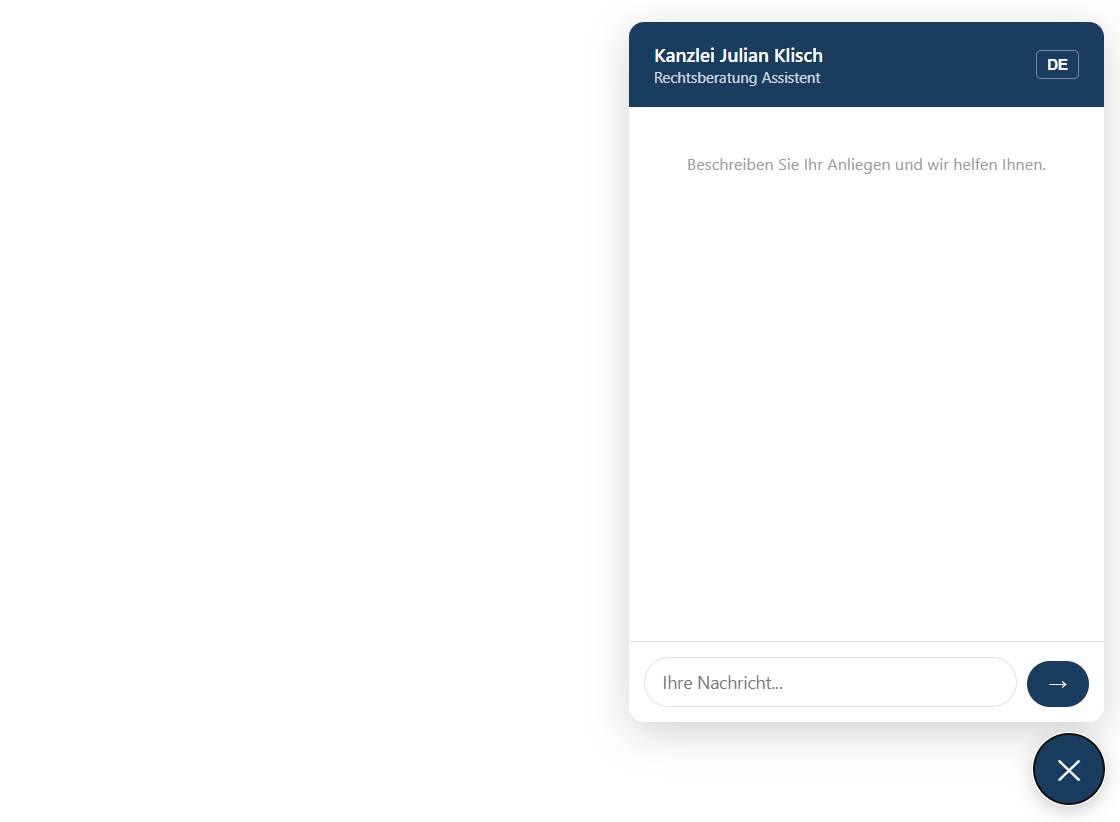
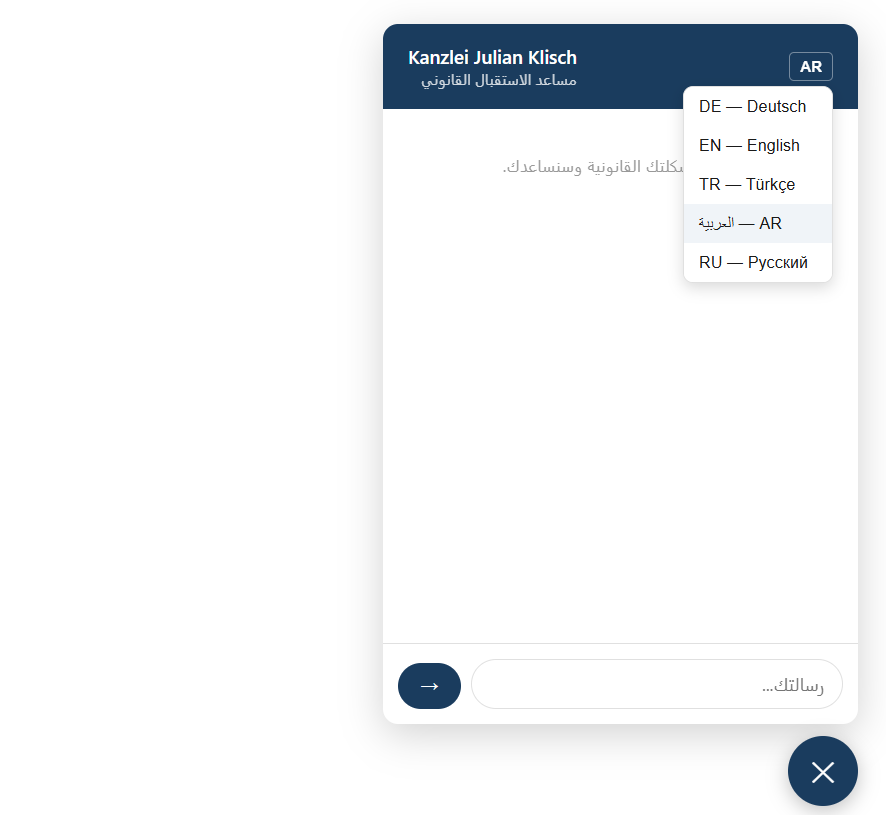
The client visits the law firm website and clicks the ⚖️ launcher button in the bottom-right corner. The chat panel opens. The AI greets the client and language is auto-detected from their first message, or can be selected manually from the language picker (DE / EN / TR / AR / RU).

Widget launcher — closed state

Widget launcher — closed state

Widget — chat open, AI greeting

Widget — chat open, AI greeting

2
AI conversation — case intake

The AI guides the client through a structured 7-state conversation: case description → practice area detection → critical dates or deadlines → opposing party → contact preference → conversation summary → confirmation. All questions adapt to the detected language.

Language picker — select DE / EN / TR / AR / RU / FA / VI / ZH

Language picker — select DE / EN / TR / AR / RU / FA / VI / ZH

3
Contact form + file upload

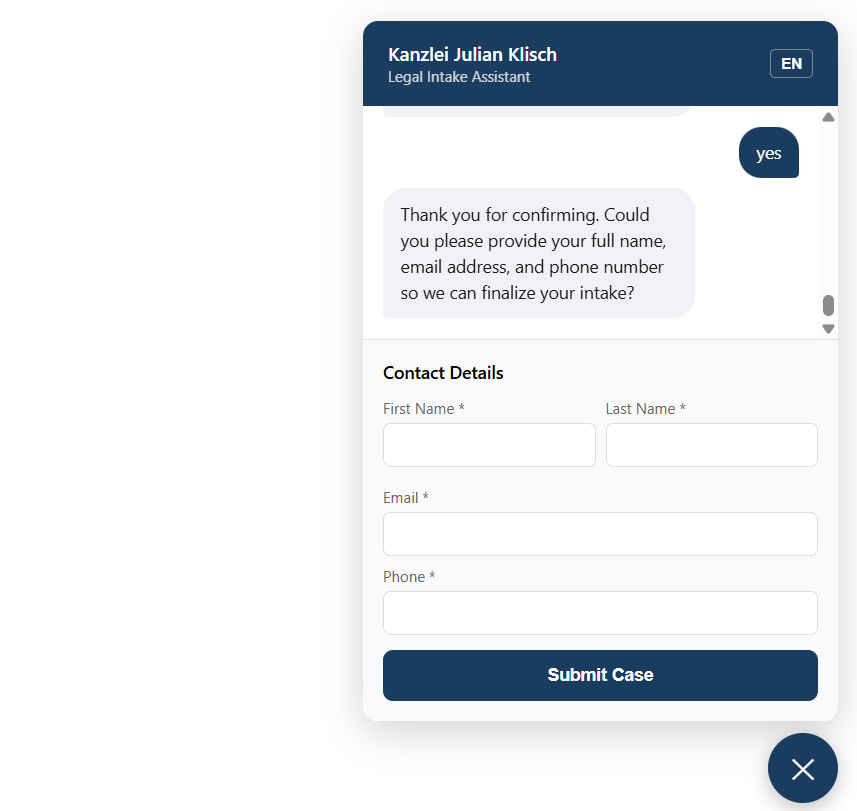
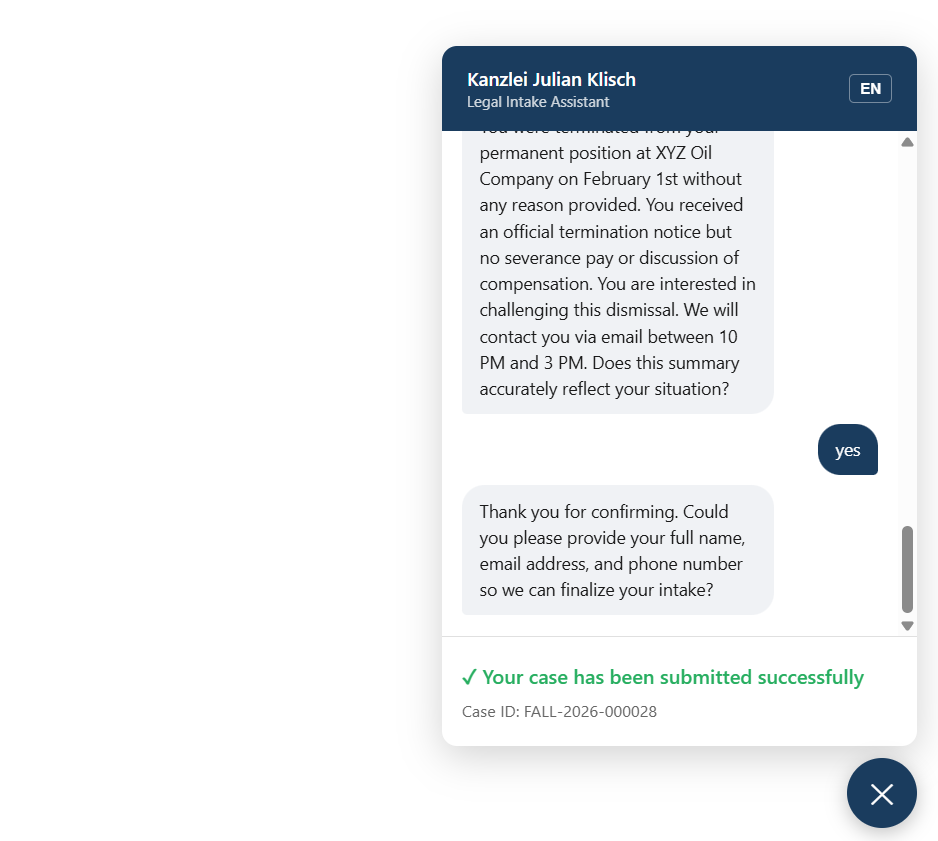
After the AI conversation, the client fills in their name, email, and phone number. They can also upload supporting documents (PDF, images — up to 10 MB each). Files are stored securely in Azure Blob Storage.

Contact form — name, email, phone

Contact form — name, email, phone

Submission success — Case ID shown

Submission success — Case ID shown

4
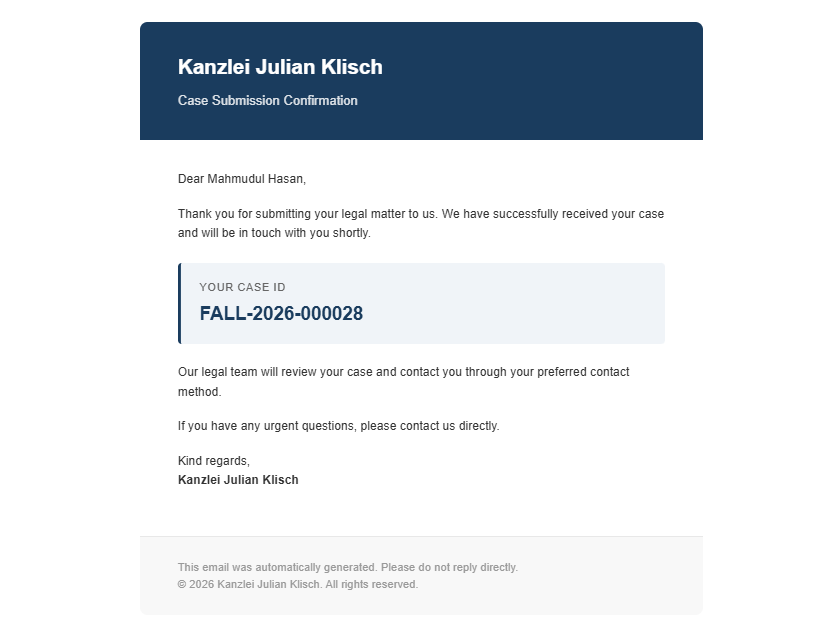
Client receives confirmation email

Immediately after submission, the client receives an automatic confirmation email in their language. The email includes their Case ID and a summary of what to expect next.

Client confirmation email (German example)

Client confirmation email (German example)

5
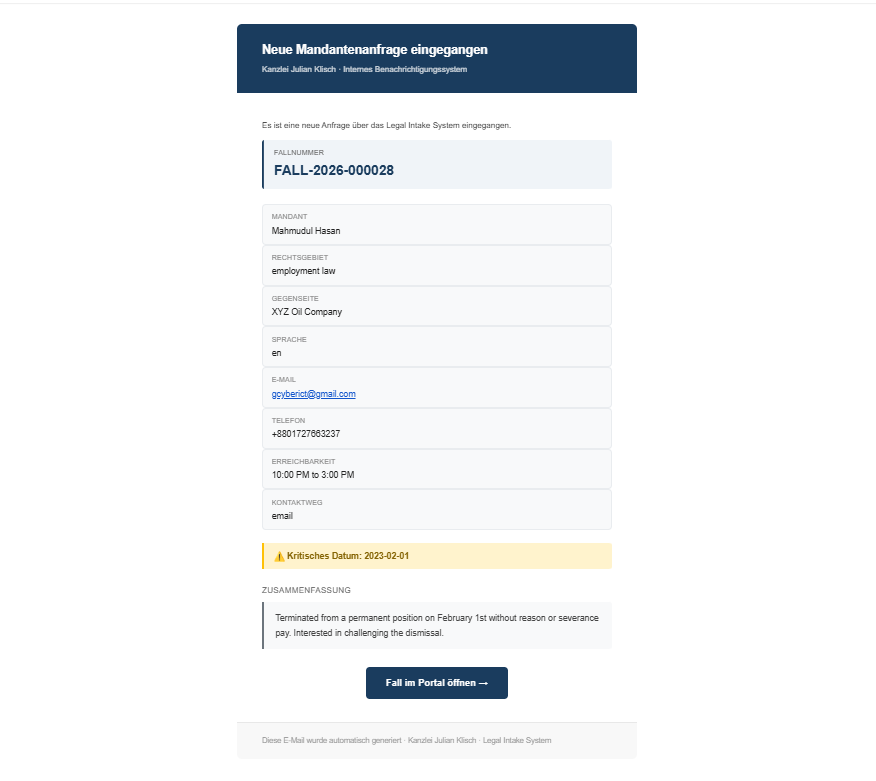
Lawyer receives notification email

At the same time, the assigned lawyer receives a detailed notification email containing all case information — the client's name, contact details, practice area, case summary (in the original language and translated to German), and a direct link to the case in the portal.

Lawyer notification email — full case details + portal link

Lawyer notification email — full case details + portal link

6
Lawyer reviews the case in the portal

The lawyer clicks the link in the notification email (or opens the portal directly at /portal). After logging in, they see the case queue filtered by status. Clicking a case opens the full detail view.

Lawyer portal — case list

Lawyer portal — case list

Case detail — full information and decision panel

Case detail — full information and decision panel

7a
Lawyer accepts → client receives callback email

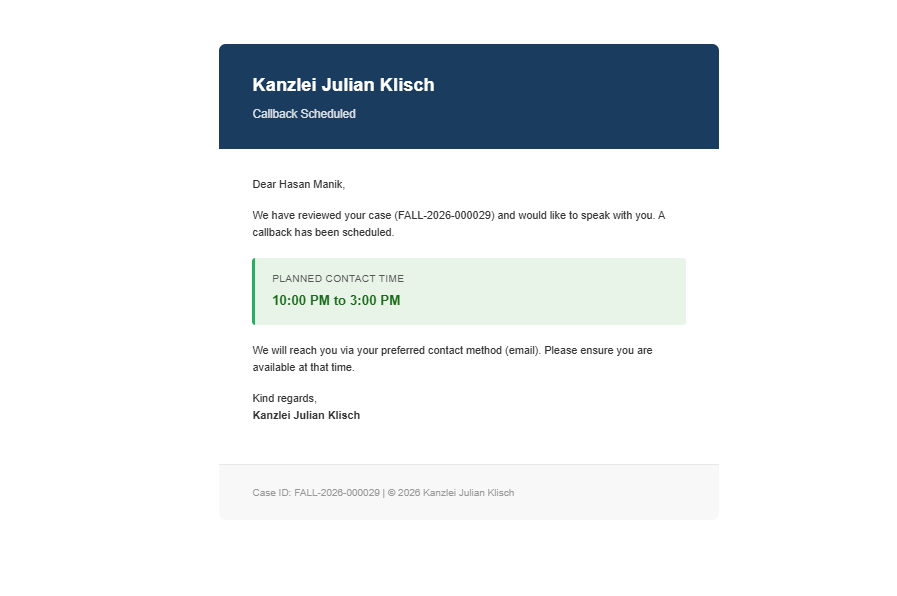
If the lawyer clicks Accept — Schedule Callback, the case status changes to "Callback Scheduled". The client automatically receives a callback confirmation email in their language, with a message that the firm will be in touch.

Client callback email — sent when lawyer accepts

Client callback email — sent when lawyer accepts

7b
Lawyer rejects → client receives rejection email

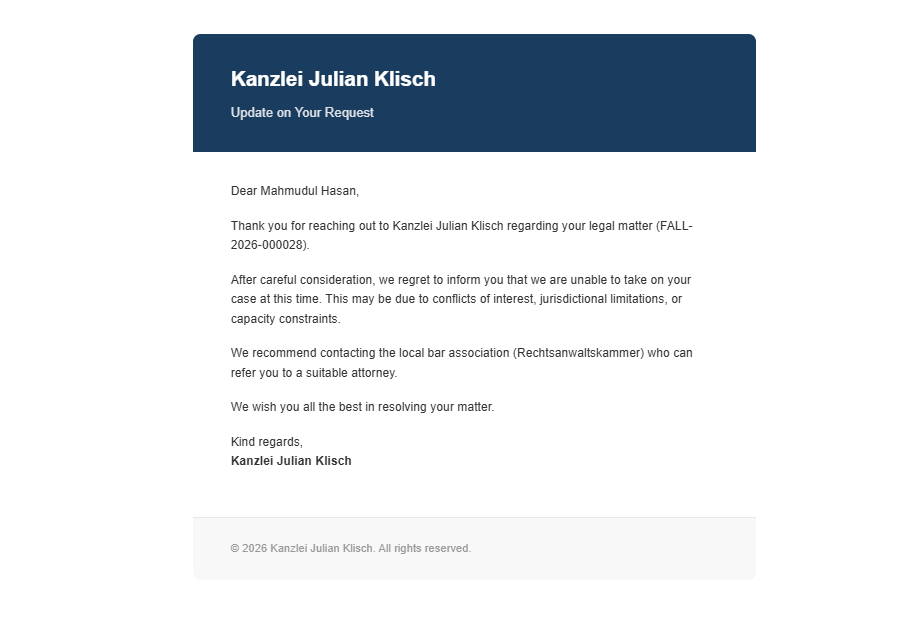
If the lawyer clicks Reject, the case status changes to "Rejected". The client receives a polite, professional rejection email in their own language.

Client rejection email — sent when lawyer rejects

Client rejection email — sent when lawyer rejects

Language Support

Eight languages are fully supported across AI conversation, email templates, and widget UI — including right-to-left layout for Arabic and Farsi.

LanguageCodeRTLAI ChatEmail TemplatesWidget UI
🇩🇪 Germande✅ (confirmation, callback, rejection)
🇬🇧 Englishen✅ (confirmation, callback, rejection)
🇹🇷 Turkishtr✅ (confirmation, callback, rejection)
🇸🇦 Arabicar✅ (confirmation, callback, rejection)
🇷🇺 Russianru✅ (confirmation, callback, rejection)
🇮🇷 Farsi/Darifa✅ (confirmation, callback, rejection)
🇻🇳 Vietnamesevi✅ (confirmation, callback, rejection)
🇨🇳 Chinesezh✅ (confirmation, callback, rejection)

Session & Privacy

🔄
Conversation Session

Chat history lives in sessionStorage only — deleted automatically when the tab is closed. No persistent browser storage.

🗄️
Data Storage

Cases stored in Azure SQL (Germany West Central). Uploaded files in Azure Blob Storage. GDPR-compliant infrastructure.

📧
Email Delivery

Sent via Azure Communication Services. Sender address is configurable per firm in the client config JSON.

🔐
Access Control

Portal requires password authentication. Session expires after 8 hours. Widget API endpoints are publicly accessible (required for embedding).